Speed Checker

Upload a battle screenshot to find out who moves first

Optimised for Pokémon Champions · may not work correctly with other games

How to use

Take a photo of your TV or Switch screen during a battle in Pokémon Champions — the app reads Pokémon names and sprites to identify them.

✓ Good
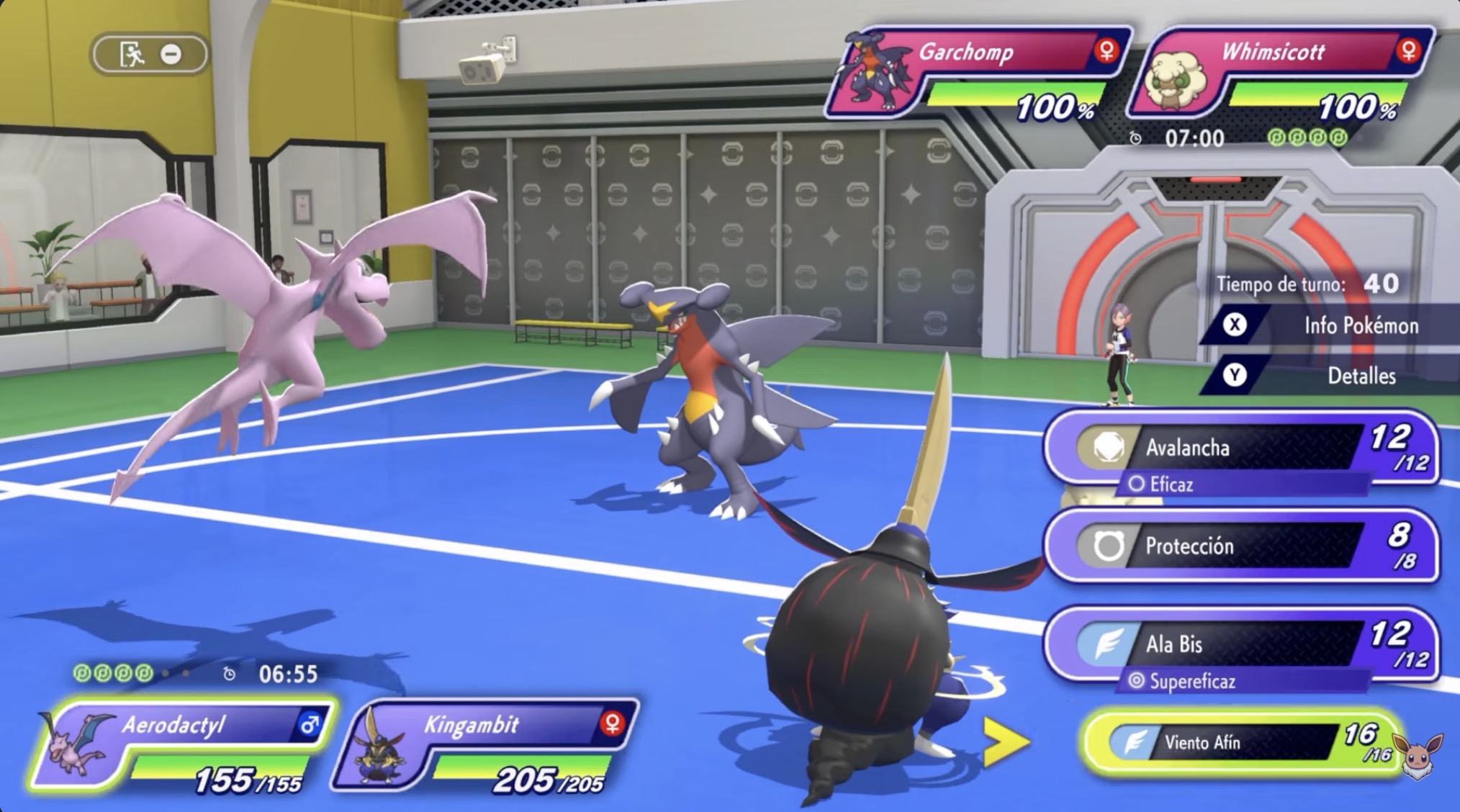
  • Full battle screen showing both sides
  • Pokémon names clearly visible
  • Photo of your TV or Switch screen
  • Screenshot shared from the game
✗ Avoid
  • Cropped or partial screenshots
  • Blurry or dark photos
  • Screenshots from other Pokémon games

💡 Tap Take a Photo to photograph your TV or Switch screen directly, or use Choose from Gallery if you already have a screenshot saved.

✅ Example of a good screenshot:

Example battle screenshot from Pokémon Champions

Drop your battle screenshot here

or paste with Ctrl+V / ⌘V